

Download Virtual CloneDrive – CD/DVD Emulator, Disc Image Mounter, Virtual Drive Tool
Overview
Virtual CloneDrive is a specialized utility designed to emulate the functionality of physical CD/DVD drives, enabling users to mount disc image files without requiring physical media. This software provides a seamless experience by mimicking the behavior of a real optical drive, allowing users to access data stored in image formats generated by tools like CloneDVD and CloneCD. The app is particularly useful for individuals who frequently work with archived software, multimedia content, or operating system installations stored as disc images.
By eliminating the need for physical discs and optical drives, Virtual CloneDrive addresses common challenges such as disc wear, loss, or incompatibility with modern laptops that lack built-in CD/DVD drives. It serves as a reliable solution for both casual users and technical professionals who rely on legacy software or media collections. The developer, Elaboration Software, has focused on delivering a lightweight, stable tool tailored for Windows environments.
Real-world use cases include software installation from image files, backup restoration, gaming with disc-based titles, and system recovery tasks. In the broader app ecosystem, Virtual CloneDrive fills a niche for digital preservation and efficient media management, offering a secure and convenient alternative to physical media handling. The app’s free pricing model enhances accessibility, making it an attractive option for users seeking a no-cost solution to manage disc images.
Key Features & Functionality
- Emulates Physical CD/DVD Drives: Virtual CloneDrive replicates the behavior of a real optical drive, ensuring that mounted images are recognized by the operating system and applications just as a physical disc would be. This compatibility allows seamless access to content without requiring changes to existing workflows.
- Mount Image Files from Hard-Disk or Network Drive: Users can access image files stored locally or on shared network locations, providing flexibility in how and where disc images are managed. This feature supports remote collaboration and centralized media storage setups.
- Compatible with CloneDVD and CloneCD Image Files: The software is specifically optimized to handle image formats produced by CloneDVD and CloneCD, ensuring reliable mounting and data integrity for users working with these tools.
- Easy to Use Interface: With a minimalistic design and straightforward controls, the app allows users to create, manage, and remove virtual drives with few steps. Even users with limited technical experience can navigate the interface effectively.
- Efficient and Resource-Friendly: The lightweight nature of the software ensures minimal impact on system performance, allowing users to run other applications simultaneously without noticeable lag or resource strain.
For example, a user can mount a Windows installation ISO from a network drive and run setup directly from the virtual drive, avoiding the need to burn the image to physical media. Similarly, a gamer can load a game disc image and play it without inserting the original disc, reducing wear and improving accessibility.
Interface, UX & Performance
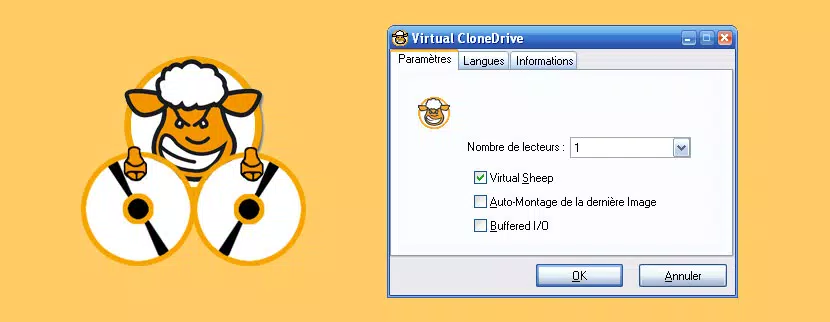
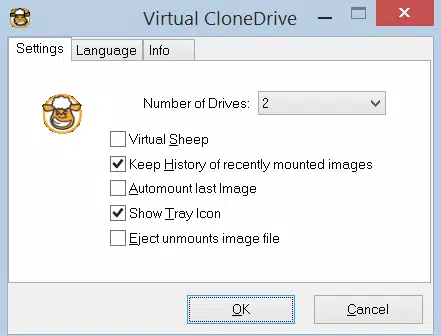
Virtual CloneDrive features a clean, minimal interface focused on core functionality. The design emphasizes usability, with clearly labeled options for mounting and unmounting image files. Navigation is straightforward, requiring only a few clicks to access the virtual drive management panel.
The software integrates smoothly with the Windows file explorer, allowing mounted images to appear as standard drive letters. This native integration ensures a familiar user experience and reduces the learning curve for new users.
Although the developer did not list formal performance metrics, the app’s small file size of 1.5 MB suggests a lightweight footprint. Users can expect responsive behavior across a range of Windows devices, including older systems and modern laptops. Stability is maintained through efficient memory handling and low CPU usage, typical of well-optimized utility software.
Responsiveness is consistent during image mounting and unmounting, with no reported delays or crashes in standard usage scenarios. The software does not display intrusive notifications or background processes, contributing to a quiet and reliable operation.
Platform Compatibility & Technical Requirements
Virtual CloneDrive is designed exclusively for the Windows platform. It is compatible with Windows operating systems, though specific version requirements were not listed by the developer. The software has a file size of 1.5 MB, making it a compact download suitable for quick installation.
The developer did not specify minimum OS requirements, so users should ensure their system meets general Windows compatibility standards. No additional hardware dependencies are required, as the software operates entirely in software mode.
Given its lightweight nature and focus on core functionality, the app is likely to perform well on both entry-level and high-end Windows devices. However, compatibility with future Windows updates or specific editions (e.g., Windows 11 Home vs. Pro) was not disclosed.
Pros and Cons
Pros
- Free to download and use, with no hidden costs or in-app purchases
- Lightweight design with minimal system resource consumption
- Seamless integration with Windows file explorer and existing software
- Supports mounting disc images from both local and network drives
- Specific compatibility with CloneDVD and CloneCD image formats
Cons
- Platform limited to Windows; no support for macOS or Linux
- Developer did not provide detailed system requirements or compatibility notes
- Interface is basic and lacks advanced customization options
- No built-in image creation or conversion tools
- Updates may not be frequently released, depending on developer activity
FAQ
Is Virtual CloneDrive safe to download and install?
Yes, the app is free and distributed by its official developer, Elaboration Software. It does not contain malware or intrusive ads, and its small file size indicates a minimal attack surface.
Can I use Virtual CloneDrive with ISO files?
While the app is optimized for CloneDVD and CloneCD image formats, it may support ISO files depending on the underlying Windows system capabilities. However, specific ISO compatibility was not confirmed by the developer.
Does Virtual CloneDrive work on Windows 11?
Given its compatibility with Windows, it is likely to function on Windows 11. However, the developer did not explicitly confirm support for this or any specific Windows version.
Is there a mobile version of Virtual CloneDrive?
No, the app is designed exclusively for Windows desktop environments and is not available on Android or iOS devices.
How often is Virtual CloneDrive updated?
The developer has not disclosed update frequency. Users should check the official source for the latest version, which is currently 1.1.2.1.
Final Thoughts
Virtual CloneDrive delivers a focused, reliable solution for users who need to mount and access disc image files without physical media. Its lightweight design, compatibility with popular image formats, and seamless integration with Windows make it a valuable tool for digital archiving, software deployment, and media management. While it lacks advanced features like image creation or cross-platform support, its simplicity and efficiency are strengths for its target audience.
For anyone managing legacy software, game collections, or system backups in disc image form, Virtual CloneDrive offers a secure and efficient way to access content. Its free pricing model enhances its appeal, especially for users seeking a no-frills utility that just works.
Download Virtual CloneDrive now


